
How to Build a Live Cricket Scores App Using an API
Build a reliable live cricket scores application using REST APIs, WebSocket updates, secure server-side authentication, caching and match-state handling, with practical JavaScript, Python and PHP examples.
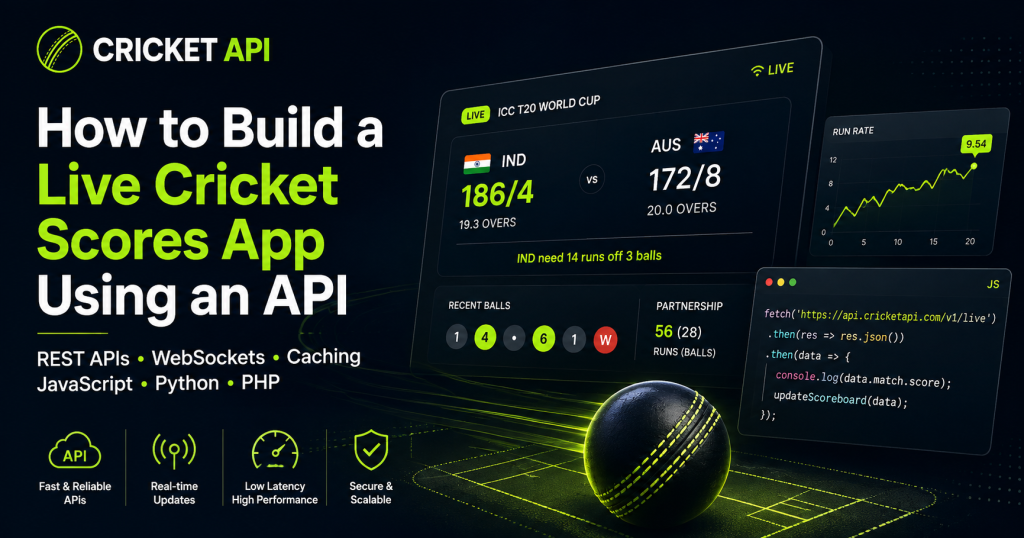
A live cricket scores app looks simple on the surface: show the current score, overs, wickets and match status. In production, however, the application must also handle fixtures, innings changes, delayed updates, duplicate events, network failures, match interruptions and final results without confusing the user.
This guide explains a practical architecture for building a live cricket score application with a Cricket API. It covers REST requests, WebSocket updates, data modelling, caching, error handling and implementation examples in JavaScript, Python and PHP.
What You Need Before You Start
A complete live-score product normally requires more than one endpoint. Before writing code, confirm that your API plan includes the competitions, match formats and data categories your application needs.
- Upcoming fixtures and match schedules
- Live match status and current innings data
- Ball-by-ball or event-level updates
- Teams, players, venues and competition identifiers
- Scorecards and final results
- Authentication credentials and documented request limits
- REST endpoints, WebSocket access or both
Recommended Live Cricket App Architecture
A reliable application should not connect every browser directly to the external sports API. A server-side integration gives you better control over credentials, caching, rate limits and recovery.
User Browser or Mobile App
          |
          v
Your Application Backend
          |
          +-- REST requests for fixtures and current state
          |
          +-- WebSocket connection for live match events
          |
          +-- Cache or database for shared match state
          |
          v
     Cricket API
Why Use Your Own Backend?
- Private API credentials remain hidden from public browser code
- Multiple users can share one cached cricket-data response
- Your backend can enforce request limits and retry policies
- External response fields can be mapped into your own stable format
- You can preserve the last known score during temporary API failures
- WebSocket events can be distributed efficiently to connected users
REST API vs WebSocket for Live Cricket Scores
REST and WebSocket are not competing choices in most production systems. They solve different parts of the live-data workflow.
| Requirement | REST API | WebSocket |
|---|---|---|
| Load current match state | Excellent | Usually not the first choice |
| Receive new events continuously | Requires polling | Excellent |
| Recover after reconnecting | Request latest state again | Reconnect, then reconcile |
| Fixtures and historical results | Excellent | Usually unnecessary |
A strong implementation uses REST to load the full current match state and a WebSocket stream to receive incremental events. If the stream disconnects, the application reconnects and requests the latest REST state again before continuing.
Step 1: Retrieve Live Matches
GET https://api.example.com/v1/cricket/matches/live

Authorization: Bearer YOUR_API_KEY
Accept: application/json
An illustrative response might look like this:
{
  "data": [
    {
      "match_id": "match_84219",
      "competition": {
        "id": "competition_91",
        "name": "Example T20 League"
      },
      "status": "live",
      "format": "T20",
      "teams": {
        "home": {
          "id": "team_18",
          "name": "Team A"
        },
        "away": {
          "id": "team_29",
          "name": "Team B"
        }
      },
      "current_innings": {
        "number": 2,
        "score": 148,
        "wickets": 4,
        "overs": "16.2",
        "target": 181
      },
      "updated_at": "2026-08-04T10:15:21Z"
    }
  ]
}
Step 2: Build the Backend Request
JavaScript with Node.js
const API_BASE_URL = 'https://api.example.com/v1';
const API_KEY = process.env.CRICKET_API_KEY;

async function getLiveMatches() {
  const response = await fetch(
    `${API_BASE_URL}/cricket/matches/live`,
    {
      headers: {
        Authorization: `Bearer ${API_KEY}`,
        Accept: 'application/json'
      },
      signal: AbortSignal.timeout(15000)
    }
  );

  if (!response.ok) {
    throw new Error(
      `Cricket API request failed with status ${response.status}`
    );
  }

  const payload = await response.json();

  return payload.data;
}
Python
import os
import requests

API_BASE_URL = "https://api.example.com/v1"
API_KEY = os.environ["CRICKET_API_KEY"]


def get_live_matches():
    response = requests.get(
        f"{API_BASE_URL}/cricket/matches/live",
        headers={
            "Authorization": f"Bearer {API_KEY}",
            "Accept": "application/json",
        },
        timeout=15,
    )

    response.raise_for_status()
    return response.json().get("data", [])
PHP
<?php

function getLiveMatches(): array
{
    $apiKey = getenv('CRICKET_API_KEY');

    if (!$apiKey) {
        throw new RuntimeException('Missing CRICKET_API_KEY');
    }

    $ch = curl_init(
        'https://api.example.com/v1/cricket/matches/live'
    );

    curl_setopt_array($ch, [
        CURLOPT_RETURNTRANSFER => true,
        CURLOPT_HTTPHEADER => [
            'Authorization: Bearer ' . $apiKey,
            'Accept: application/json',
        ],
        CURLOPT_CONNECTTIMEOUT => 5,
        CURLOPT_TIMEOUT => 15,
    ]);

    $body = curl_exec($ch);

    if ($body === false) {
        $error = curl_error($ch);
        curl_close($ch);

        throw new RuntimeException($error);
    }

    $status = curl_getinfo($ch, CURLINFO_HTTP_CODE);
    curl_close($ch);

    if ($status < 200 || $status >= 300) {
        throw new RuntimeException(
            'Cricket API returned HTTP ' . $status
        );
    }

    $payload = json_decode(
        $body,
        true,
        512,
        JSON_THROW_ON_ERROR
    );

    return $payload['data'] ?? [];
}
Step 3: Cache the Current Match State
| Match state | Suggested strategy | Reason |
|---|---|---|
| Upcoming | Cache longer and refresh periodically | Fixture details usually change less frequently |
| Live | Use a short cache or event-driven updates | The score and match state change continuously |
| Interrupted | Preserve the last state and monitor status | Scores may remain unchanged while status changes |
| Completed | Cache for much longer | Final results rarely change after confirmation |
Step 4: Add WebSocket Updates
import WebSocket from 'ws';

const socket = new WebSocket(
  'wss://stream.example.com/v1/cricket',
  {
    headers: {
      Authorization: `Bearer ${process.env.CRICKET_API_KEY}`
    }
  }
);

socket.on('open', () => {
  socket.send(
    JSON.stringify({
      action: 'subscribe',
      match_ids: ['match_84219']
    })
  );
});

socket.on('message', async rawMessage => {
  const event = JSON.parse(rawMessage.toString());

  if (!event.event_id || !event.match_id) {
    return;
  }

  const alreadyProcessed = await eventStore.exists(
    event.event_id
  );

  if (alreadyProcessed) {
    return;
  }

  await applyMatchEvent(event);
  await eventStore.save(event.event_id);
  await broadcastToUsers(event.match_id, event);
});

socket.on('close', scheduleReconnect);
Prevent Duplicate Events
- Use the documented event ID when available
- Track the latest sequence number for every match
- Do not identify events only by score text
- Reconcile with the latest REST state after reconnecting
Step 5: Render the Live Score Interface
<div id="live-match" aria-live="polite">
  <p id="match-status">Loading match...</p>
  <h2 id="teams"></h2>
  <p id="score"></p>
  <p id="match-context"></p>
  <small id="updated-at"></small>
</div>

<script>
async function loadMatch(matchId) {
  const response = await fetch(`/api/live-matches/${matchId}`);

  if (!response.ok) {
    throw new Error('Unable to load the match');
  }

  const match = await response.json();

  document.querySelector('#match-status').textContent =
    match.statusLabel;

  document.querySelector('#teams').textContent =
    `${match.homeTeam.name} vs ${match.awayTeam.name}`;

  document.querySelector('#score').textContent =
    `${match.score.runs}/${match.score.wickets} ` +
    `(${match.score.overs} overs)`;

  document.querySelector('#match-context').textContent =
    match.score.target
      ? `Target: ${match.score.target}`
      : '';

  document.querySelector('#updated-at').textContent =
    `Updated ${new Date(match.lastUpdated).toLocaleTimeString()}`;
}
</script>Step 6: Handle Cricket Match Status Correctly
| Status | Recommended display |
|---|---|
| Scheduled | Show start time, teams, competition and venue |
| Delayed | Show the latest official delay status |
| Live | Show current innings, score and live indicator |
| Innings break | Show completed innings and target context |
| Interrupted | Preserve the score and explain that play is suspended |
| Completed | Show final scorecard, result and winning team |
| Abandoned or cancelled | Show the official status without inventing a result |
Step 7: Add Scorecards and Ball-by-Ball Events
- Batting scorecard with runs, balls, boundaries and strike rate
- Bowling figures with overs, runs, wickets and economy
- Current batters and active bowler
- Partnership information
- Fall of wickets
- Ball-by-ball timeline
- Target, required run rate and remaining resources
Step 8: Protect the API Key
- Store credentials in server environment variables
- Use a secrets manager for production systems where appropriate
- Restrict credentials by domain, IP or application when supported
- Rotate exposed or compromised keys immediately
- Do not log full authorisation headers
Step 9: Handle Errors and Rate Limits
async function fetchWithRetry(url, options, attempts = 3) {
  let lastError;

  for (let attempt = 1; attempt <= attempts; attempt += 1) {
    try {
      const response = await fetch(url, {
        ...options,
        signal: AbortSignal.timeout(15000)
      });

      if (response.status === 429) {
        const retryAfter = Number(
          response.headers.get('retry-after') || 2
        );

        await wait(retryAfter * 1000);
        continue;
      }

      if (!response.ok) {
        throw new Error(`HTTP ${response.status}`);
      }

      return await response.json();
    } catch (error) {
      lastError = error;

      if (attempt < attempts) {
        await wait(attempt * 1000);
      }
    }
  }

  throw lastError;
}

function wait(milliseconds) {
  return new Promise(resolve => {
    setTimeout(resolve, milliseconds);
  });
}
Step 10: Test Real Match Scenarios
- A scheduled match begins normally
- The toss is delayed
- A wicket falls on consecutive deliveries
- An innings ends
- A target is revised
- Play is interrupted by weather
- The WebSocket disconnects and reconnects
- An event is delivered twice
- The API temporarily returns an error
- The match is abandoned
- The final result replaces the live state
Suggested Database Structure
| Table or collection | Purpose |
|---|---|
| competitions | Competition identifiers, names and formats |
| teams | Stable team records and display information |
| players | Stable player records used by scorecards |
| matches | Fixture, status, venue and current state |
| innings | Scores, wickets, overs and targets |
| match_events | Ball-by-ball events with unique event IDs |
Common Mistakes to Avoid
Calling the External API From Every Browser
Use your own backend unless the provider explicitly supports safe public-client authentication.
Polling Too Frequently
Use shared server-side polling, caching or WebSocket delivery.
Treating Overs as Decimal Numbers
In cricket, 16.2 overs means 16 overs and 2 balls, not 16.2 as a mathematical decimal.
Ignoring Duplicate Events
Use event IDs or sequence numbers to make updates idempotent.
Showing Stale Data as Live
Always display update freshness and remove or qualify the live indicator when the connection becomes stale.
Live Cricket Scores App FAQs
Can I build a live cricket scores app with REST only?
Yes. A REST-only app can poll for the latest match state at an appropriate interval. WebSocket delivery is generally more efficient for continuous event-driven updates when it is available.
How often should I refresh live cricket scores?
Follow the provider’s documented rate limits and recommended update strategy. Use shared server-side caching so every user does not generate a separate external request.
Should the browser connect directly to the Cricket API?
Usually no when the API key must remain private. A backend proxy protects the credential, handles caching and gives you control over errors and quotas.
How do I prevent duplicate ball-by-ball updates?
Store the unique event ID or sequence number and apply each event only once. After reconnecting, request the latest match state and reconcile it with your local data.
Can the same architecture support a fantasy cricket app?
Yes. The live match pipeline can also feed fantasy scoring, provided the API includes the required player events and your application defines its scoring rules clearly.
Build Your Live Cricket Scores Integration
Review supported competitions, live-score endpoints, ball-by-ball availability and request limits before development. Start with one match flow, validate every status and then scale the same architecture across additional competitions.
Build Cricket Products With Reliable API Data
Access live scores, fixtures, ball-by-ball updates, statistics, odds, predictions and historical cricket data through one developer-friendly API.
Get API Access