How to Build a Cricket Prediction Model
Build a cricket prediction model using historical match data, team ratings, player statistics and contextual features. Learn how to prevent data leakage, validate chronologically and produce calibrated win probabilities.
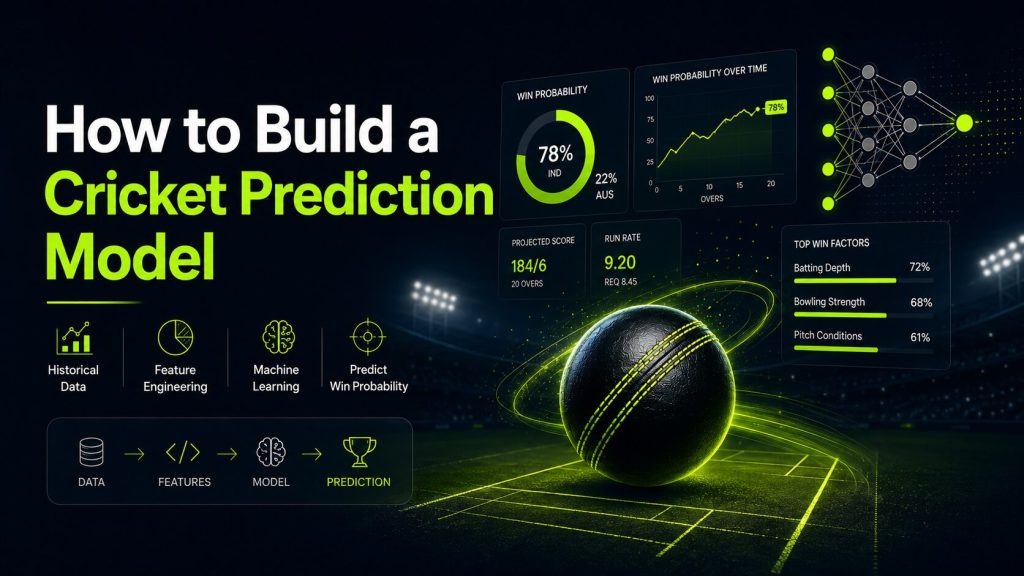
A cricket prediction model can estimate outcomes such as match winner, expected
innings score or live win probability by learning patterns from historical
data. Building a useful model requires more than choosing an algorithm. The
quality of the target, features, evaluation method and data pipeline usually
matters more than the model name.
This guide explains a practical workflow for building a cricket prediction
model using historical match data from a Cricket API. It covers problem
definition, data collection, feature engineering, leakage prevention,
time-aware validation, model training, calibration, deployment and ongoing
monitoring.
Cricket contains uncertainty, incomplete information and unexpected events.
Use forecasts for analysis and decision support, and present probability and
confidence honestly.
Choose the Prediction Problem First
Do not begin by asking which machine-learning algorithm to use. Begin by
defining the exact output your application needs.
| Prediction task | Example output | Typical model type |
|---|---|---|
| Pre-match winner | Team A 58%, Team B 42% | Binary or multiclass classification |
| Expected innings score | Central estimate: 176 runs | Regression |
| Live win probability | Chasing team 67% after 15 overs | Time-dependent classification |
| Player performance | Expected runs or wickets | Regression or count model |
| Qualification probability | Team has 35% chance of reaching playoffs | Simulation using match-level models |
This tutorial focuses mainly on a pre-match winner model, then explains how the
same pipeline can be extended to expected scores and live probability.
Define the Unit of Prediction
Each training row should represent one prediction opportunity. For a pre-match
winner model, one row usually represents one completed match.
match_id
match_date
competition_id
format
team_a_id
team_b_id
venue_id
team_a_features...
team_b_features...
target_winner
For a live prediction model, each row may represent a match state after a ball,
over or defined phase.
match_id
innings
over
ball
batting_team_id
bowling_team_id
runs
wickets
target
balls_remaining
current_run_rate
required_run_rate
target_winner
Collect Historical Cricket Data
A Cricket API can supply fixtures, results, scorecards, player statistics,
line-ups, venues and ball-by-ball history. Confirm that the historical period
and competitions used for training are complete enough for the intended model.
Useful Match-Level Data
- Match identifier and start time
- Competition, season and match format
- Teams and venue
- Toss winner and decision
- Confirmed or historical line-ups
- Final innings totals and match result
- Home, away or neutral-venue context
- Weather or pitch information where reliably available
Useful Team and Player Data
- Recent team results
- Average runs scored and conceded
- Batting and bowling strength
- Player availability and role
- Recent player form
- Venue-specific performance
- Head-to-head history
- Competition and format experience
Example API Data Collection in Python
The following example demonstrates a common paginated request pattern. Replace
the host, endpoint and response fields with the values in the final API
documentation.
Historical data collection flow

1. Create an authenticated server-side API client
2. Request completed matches for one competition and season
3. Store the returned matches
4. Read the pagination information
5. Request the next page when one exists
6. Pause briefly between large batches
7. Preserve the original response for later feature rebuilding
Store Raw Data Before Transforming It
Keep the original API responses or a lossless normalised version. Raw data lets
you rebuild features later without requesting the entire history again.
| Layer | Purpose |
|---|---|
| Raw API data | Original matches, scorecards, events and metadata |
| Normalised entities | Stable teams, players, competitions and venues |
| Feature tables | Model-ready values calculated at each prediction time |
| Predictions | Model version, probability, timestamp and input snapshot |
Prevent Data Leakage
Data leakage happens when training features contain information that would not
have been available at prediction time. It can make a model appear excellent in
testing while failing in production.
available before that match started.
Common Cricket Data Leakage Examples
- Using final scorecard values to predict the same match
- Using season totals that already include the target match
- Using rankings updated after the match
- Using confirmed line-ups when the prediction is meant to run earlier
- Calculating recent form from matches that happened later
- Randomly splitting matches from the same season across training and test sets
Correct Rolling Feature Calculation
Rolling recent-form calculation

1. Sort every match by date
2. Group matches by team
3. Exclude the current match result
4. Select the previous 10 completed matches
5. Calculate the win rate from those earlier matches only
6. Store the result as the pre-match recent-form feature
The shift(1) is important because it prevents the current match
result from entering its own feature.
Build a Strong Baseline Model
Before training a complex model, create a simple baseline. A baseline tells you
whether the new model adds meaningful value.
Possible Baselines
- Predict the historically stronger team
- Predict using recent win rate only
- Predict the home team
- Predict the majority class
- Use a simple Elo-style rating difference
- Use logistic regression with a small number of stable features
A sophisticated model that cannot beat a transparent baseline is not ready for
production.
Useful Features for a Pre-Match Cricket Model
Recent Team Form
- Win rate over the previous 5, 10 or 20 matches
- Average runs scored
- Average runs conceded
- Net run-rate style performance measures
- Strength of recent opposition
Batting Strength
- Expected top-order contribution
- Recent team batting average
- Strike-rate profile by phase
- Boundary rate
- Wickets lost per innings
Bowling Strength
- Wickets taken per match
- Economy rate
- Powerplay and death-over performance
- Bowling depth
- Availability of leading bowlers
Context Features
- Venue
- Home, away or neutral match
- Competition and match format
- Day or night match
- Toss result and decision when known
- Rest days since the previous match
- Travel or schedule density
Create Team Ratings
A rating system condenses historical results into a continuously updated team
strength value. Elo-style ratings are a useful baseline because they update
after every match and give more credit for defeating stronger opponents.
def expected_score(rating_a, rating_b):
    return 1 / (1 + 10 ** ((rating_b - rating_a) / 400))


def update_elo(
    rating_a,
    rating_b,
    result_a,
    k_factor=24,
):
    expected_a = expected_score(rating_a, rating_b)
    expected_b = 1 - expected_a

    result_b = 1 - result_a

    new_a = rating_a + k_factor * (
        result_a - expected_a
    )

    new_b = rating_b + k_factor * (
        result_b - expected_b
    )

    return new_a, new_b
Use ratings calculated immediately before each match as model features. Update
the ratings only after the match result is recorded.
Prepare the Training Dataset
A simple training table might contain one row per completed match.
features = [
    "rating_difference",
    "team_a_recent_win_rate",
    "team_b_recent_win_rate",
    "team_a_avg_runs",
    "team_b_avg_runs",
    "team_a_avg_wickets",
    "team_b_avg_wickets",
    "venue_team_a_advantage",
    "team_a_rest_days",
    "team_b_rest_days",
]

target = "team_a_won"
Handle Missing Values Carefully
A missing value is not always zero. A new team may have no historical record,
while a true zero can represent a real performance value.
- Add explicit missing-value indicators where useful
- Use sensible defaults based on competition or format
- Avoid dropping large groups of newer teams automatically
- Document every imputation rule
Use a Time-Based Train and Test Split
Random splitting can leak future cricket patterns into the training set. A
time-based split better represents production, where the model predicts future
matches from past information.
train = dataset[
    dataset["match_date"] < "2025-01-01"
]

validation = dataset[
    (dataset["match_date"] >= "2025-01-01")
    & (dataset["match_date"] < "2026-01-01")
]

test = dataset[
    dataset["match_date"] >= "2026-01-01"
]
For stronger evaluation, use rolling or expanding-window backtesting.
Fold 1:
Train: 2021-2022
Validate: 2023

Fold 2:
Train: 2021-2023
Validate: 2024

Fold 3:
Train: 2021-2024
Validate: 2025
Train a Logistic Regression Baseline
Logistic regression is transparent, fast and naturally returns probabilities.
It is a strong first model for binary match outcomes.
Logistic-regression training pipeline

Input features:
- Team-rating difference
- Recent win rates
- Average runs
- Average wickets
- Venue advantage

Processing:
1. Fill missing numerical values with a documented rule
2. Standardise numerical features
3. Train the classifier on the historical training period
4. Generate probabilities for the later validation period
5. Evaluate accuracy, log loss and ranking quality
6. Keep the final test period untouched until model selection is complete
Try Tree-Based Models Carefully
Gradient-boosted trees can capture nonlinear relationships and interactions
without extensive manual transformations. They may improve performance, but
they also require careful tuning and calibration.
- Compare against the same time-based validation set
- Limit tuning to the training and validation periods
- Do not tune repeatedly against the final test set
- Inspect feature importance and unexpected shortcuts
- Calibrate probabilities before presenting them to users
Evaluate More Than Accuracy
Accuracy measures how often the model selects the eventual winner. It does not
show whether the probabilities are trustworthy.
| Metric | What it measures |
|---|---|
| Accuracy | Percentage of correct winner classifications |
| Log loss | Quality of predicted probabilities, penalising confident errors |
| Brier score | Mean squared difference between probability and outcome |
| ROC AUC | Ability to rank positive outcomes above negative outcomes |
| Calibration | Whether predicted probabilities match observed frequencies |
Check Probability Calibration
A well-calibrated model should produce outcomes close to the predicted
frequency over a large sample. For example, teams assigned around 70%
probability should win roughly 70% of those matches.
Calibration check

1. Divide validation predictions into probability groups
2. Calculate the average predicted probability in each group
3. Calculate the actual win rate in each group
4. Compare predicted probability with observed frequency

Example:
Predicted group: approximately 70%
Observed win rate: approximately 68%

Large repeated differences indicate poor calibration.
If calibration is poor, evaluate calibration methods on a separate validation
period rather than using the final test set.
Feature Importance and Explainability
Predictions should be auditable enough to detect bad data and unreasonable
shortcuts. Explainability does not prove that a model is correct, but it helps
developers understand what influenced a result.
- Review logistic-regression coefficients
- Use permutation importance on unseen data
- Compare predictions before and after feature removal
- Inspect individual match explanations
- Check whether one competition or season dominates the model
Build an Expected Score Model
Expected innings score is a regression problem. The target can be the final
team total, while features describe batting strength, bowling strength, venue,
format and line-up context.
target = "team_a_final_score"

features = [
    "team_a_recent_avg_runs",
    "team_b_recent_avg_runs_conceded",
    "team_a_batting_rating",
    "team_b_bowling_rating",
    "venue_average_score",
    "team_a_boundary_rate",
    "team_b_wicket_rate",
]
For greater honesty, return an interval or range rather than only one exact
number.
{
  "central_estimate": 176,
  "range": {
    "low": 158,
    "high": 194
  }
}
Extend the Model to Live Win Probability
A live model trains on match states rather than one row per match. Each row
contains only information available at that moment.
Useful Live Features
- Current runs and wickets
- Balls or overs remaining
- Target
- Current and required run rate
- Resources remaining
- Active batters and bowler
- Recent scoring pattern
- Pre-match team strength
live_features = [
    "innings",
    "runs",
    "wickets",
    "balls_remaining",
    "target",
    "current_run_rate",
    "required_run_rate",
    "pre_match_rating_difference",
]
Prevent rows from the same match being split across training and validation in
a way that leaks match-specific information. Split by match date and match ID.
Deploy the Prediction Model Behind an API
A production application should separate feature generation, model loading and
response formatting.
Prediction endpoint workflow

Request:
- Match identifier

Server process:
1. Load the latest match context
2. Build features using information available at prediction time
3. Load the approved model version
4. Generate an outcome probability for each team
5. Store the input snapshot and prediction
6. Return the probabilities, model version and generation time

Response:
- Match identifier
- Team outcome probabilities
- Model identifier and version
- Prediction timestamp
- Confidence or uncertainty information
Store Every Production Prediction
Save the prediction, model version, timestamp and input snapshot. This makes
later evaluation and debugging possible.
{
  "prediction_id": "prediction_10091",
  "match_id": "match_84219",
  "model_id": "cricket_match_model",
  "model_version": "1.0",
  "generated_at": "2026-08-04T11:00:00Z",
  "team_a_probability": 0.58,
  "team_b_probability": 0.42,
  "feature_snapshot_id": "features_8821"
}
Monitor Model Performance
A model that performed well during development can degrade as competitions,
teams, tactics and data sources change.
- Track log loss and calibration by month
- Evaluate performance by competition and format
- Monitor missing features and API-data delays
- Compare current feature distributions with training data
- Record model version with every prediction
- Retrain only after a defined evaluation process
Common Cricket Prediction Mistakes
Using Random Train-Test Splits
Random splitting can place future matches in training and earlier matches in
testing. Use time-based validation.
Training on Final Match Information
Every pre-match feature must exist before the match begins.
Optimising Only for Accuracy
A probability model should also be assessed with log loss, Brier score and
calibration.
Ignoring Match Format
Test, ODI and T20 cricket have different dynamics. Include format context or
train separate models where justified.
Overusing Head-to-Head Records
Old meetings may involve different squads, venues and competitive conditions.
Use recency and sample-size controls.
Treating Predictions as Guarantees
Always present probability and uncertainty. A higher-probability team can still
lose.
Reusing the Test Set Repeatedly
Keep the final test period untouched until model selection is complete.
Cricket Prediction Model FAQs
Which algorithm is best for cricket predictions?
There is no universally best algorithm. Start with a transparent baseline such
as logistic regression, then compare other models using time-based validation,
calibration and production constraints.
How much historical data do I need?
The answer depends on the competition, format and target. The data should cover
enough seasons and match conditions to represent the environment in which the
model will be used.
Can I build a model using only team results?
Yes, a baseline can use team ratings and recent form. Player, venue and
line-up features may improve context when they are complete and available at
prediction time.
How do I avoid data leakage?
Calculate every feature using only information available before the prediction
timestamp. Use shifted rolling windows and time-based train, validation and
test periods.
Should I predict a winner or a probability?
A probability is more informative because it represents uncertainty. Evaluate
its calibration instead of converting every forecast immediately into a
confident label.
Can this model be used for betting?
Prediction data does not guarantee profit or outcomes. Any betting-related use
must comply with API licensing, local laws, responsible-gambling requirements
and platform policies.
Build With Historical Cricket Data
Start with a clearly defined prediction target, collect complete historical
data, prevent leakage and validate chronologically. Deploy only after the
model beats a transparent baseline and produces probabilities that are
reasonably calibrated.
Build Cricket Products With Reliable API Data
Access live scores, fixtures, ball-by-ball updates, statistics, odds, predictions and historical cricket data through one developer-friendly API.
Get API Access